Live demo · Maintenance & work orders
Maintenance & Work Order System
A maintenance system set up for two sample sites: a plastic moulding plant in Shah Alam and an office tower in KL. Anyone on site reports a fault from the QR sticker on each machine, the supervisor assigns jobs from one board, technicians fix them on their phone with photos, spare parts and a signature, and contractors update their jobs from a WhatsApp link. Planned servicing and certificate renewals create their own jobs, and the manager compares both sites and prints a monthly report. The same build fits hotels, malls, hospitals and any site with equipment to look after.
- Next.js
- React
- Cloudflare Pages
Things to try
- On “Report a fault”, tap the sticker for Air compressor 2, tap a ready-made line and send it.
- Switch to Supervisor: the job is on the board. Open it and assign Wong, then check the reporter's phone.
- Switch to Technician as Wong, press Start, take a part from the store, add a photo from your camera, then sign with your finger to finish.
- Open Compliance: the air receiver's certificate of fitness expires soon and already has a renewal job.
- Open Servicing: Air compressor 2 is serviced every 2,000 running hours and its hour meter is nearly there. Press “Run today's schedule” to create the job.
- Switch to the KL tower at the top left: lifts, air handlers and the fire alarm panel run on the same system.
- As Manager, open Monthly report and save it as a PDF.
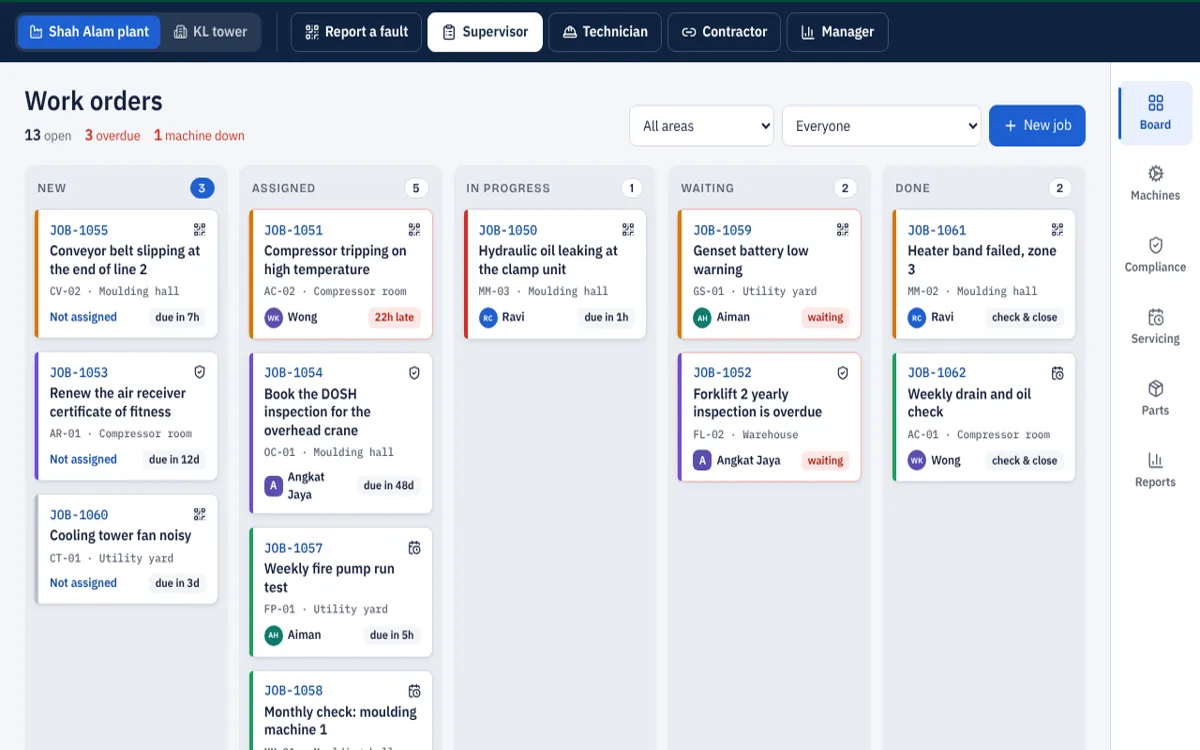
Try Maintenance & Work Order System
Opens full screen: a factory and an office tower on one system, with five screens each. Report a fault, run the supervisor's board, fix it on the technician's phone, send a contractor a link, and print the manager's monthly report. Your changes stay in this browser.
Concept demo by Denerf Studio · sample business, not a real client · sample data, saved only in your browser
Want a system like Maintenance & Work Order System?
Tell us what you need. We show you a working demo in 48 hours, and you pay $0 until you love it.